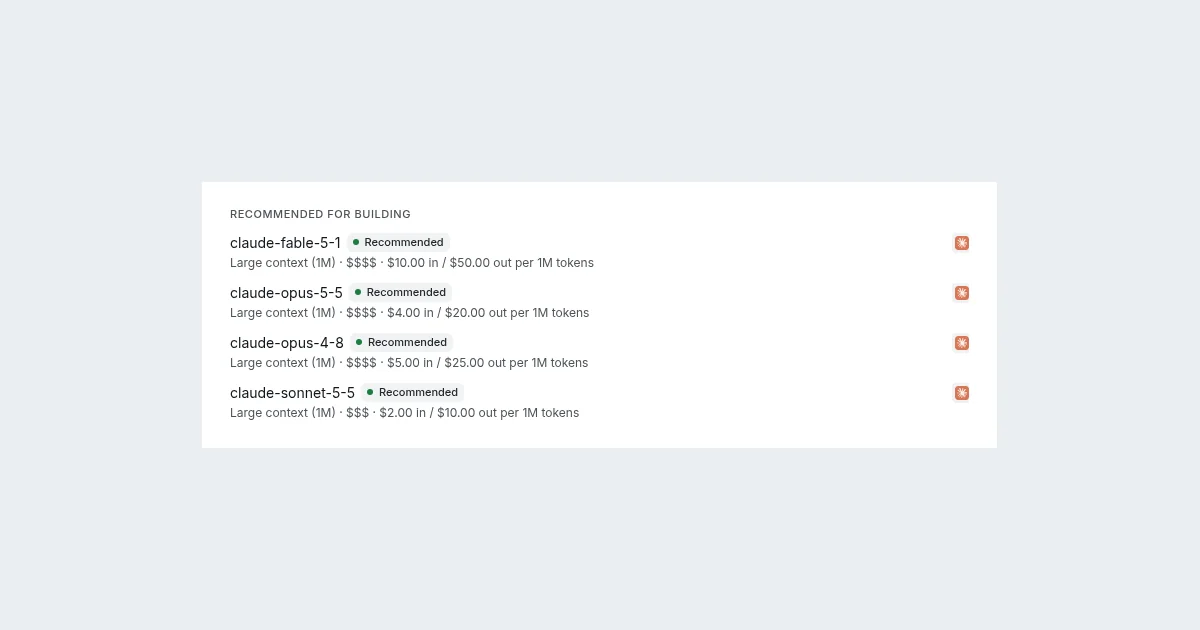
SynapseOrch 2.1 is about answers you can rely on: a step or a tool can now say what shape its answer has, and every step that reads it is checked against that shape before anything runs. The model pickers say what each model is and what it costs, and every run you've made is a click away. 2.1.1 follows with the fixes you'll notice in an ordinary week.
Everything below is in the open-source app, whose latest version is 2.1.1. On SynapseOrch Cloud, the model pickers' facts and their Recommended mark are live now; 2.1.1's fixes reach Cloud with a later update.
Answers in the shape you declare
A model step's answer fields used to be a flat list. Now a field can be a group, with fields of its own, or a list of groups, as well as a list of numbers or of yes-or-nos, to four levels deep. Any field can be marked "may be empty".
You can build the fields by hand in the step editor, paste an example answer, or paste a JSON Schema. "What the model is asked for" shows the schema the run sends. The docs' Answer fields has the details.
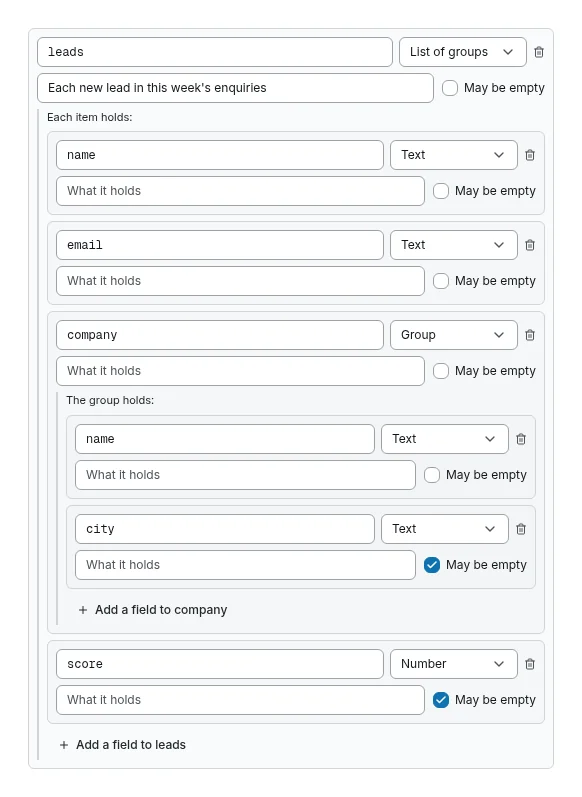
Each provider gets that shape in the strongest form it supports: a schema where it takes one, a required tool call where it doesn't, or plain words with one repair. The claude CLI's answer is read in the declared shape too. A problem in an answer is named by its path, for example leads[2].email is missing.
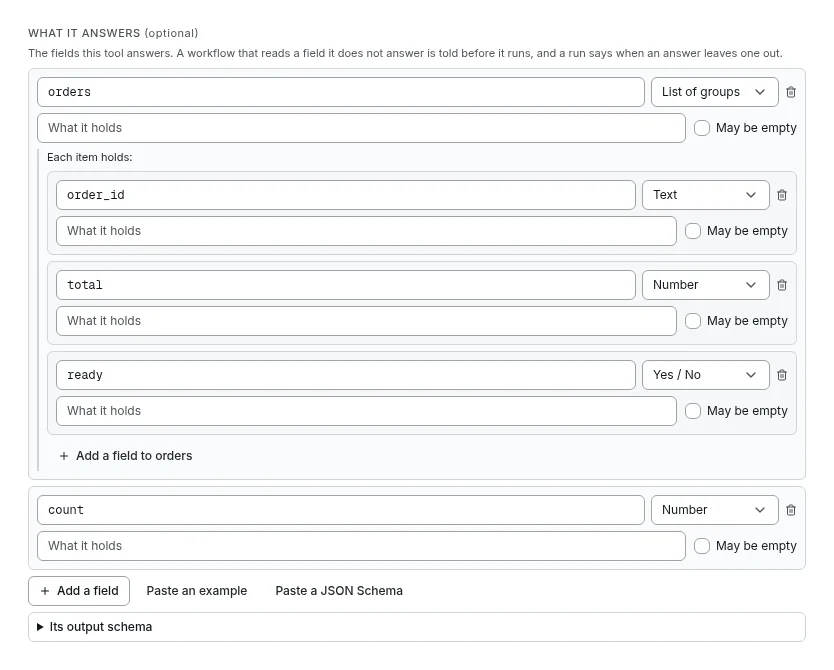
A tool's answer has a shape too. The custom tool editor has a new What it answers section, for HTTP and Python tools alike, with the same fields, example and schema paste. When a Tool step's answer lacks a field its tool declares, the step warns, names the path, and the run carries on; a later step that fails on that field says which tool left it out. An MCP tool's declared answer is read the same way. See What it answers.
Every read checked, on every path
When Synapse AI builds or checks a workflow, and as you edit one in the editor, each value a step reads is checked against the steps that can write it on the way there. The check follows groups and lists to their full depth, a Tool step's answer against what its tool declares, and every branch, loop and parallel.
A field that only some branches write is flagged where a condition or code reads it. These checks run where a workflow is built or edited, never when it runs, so a workflow you've already saved runs as before.
Model pickers that say what each model is
Every model picker shows each model's context (small, standard or large), a cost tier and its price per million tokens. Synapse AI's own picker shows first the models that build well and leaves out the ones that aren't for building, small local models included; its Default row says why when the model it would use isn't one. An agent's Model and a step's Model override say how to choose for the job. See what the pickers say.
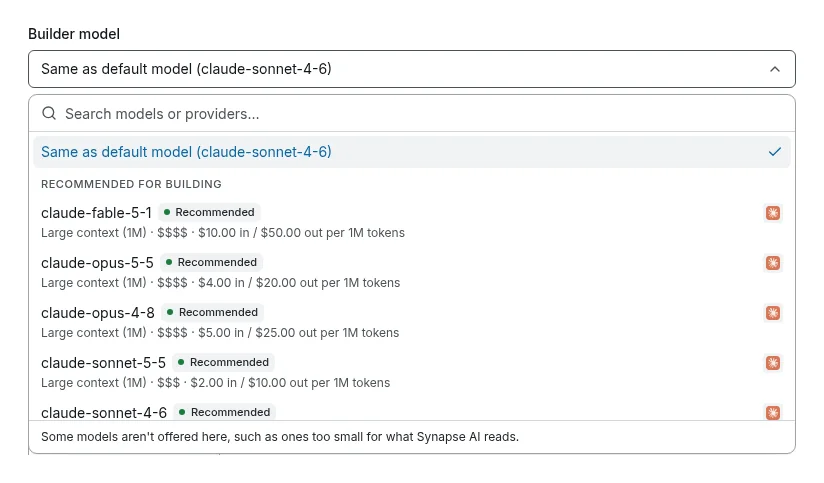
On SynapseOrch Cloud, the pickers show these facts and the Recommended mark too.
Every run within reach
The Runs page has Show older, so you can reach any run however many came after it. A workflow's Recent Runs shows that workflow's own runs and pages back the same way, where it used to show only those among everyone's newest hundred.
Smaller things in 2.1
- A Loop that ran zero times says so. A Loop over an empty list used to hand the next steps an empty result as if it had run. Now they read that the loop ran zero times, and why.
- A Parallel's join gets every branch's values, so a step after it is no longer refused for reading a value one branch writes.
- A run draws each step by what it does. A Tool step with its arguments set runs without a model, and the canvas, its minimaps and a run's path now draw it that way, before any run and after.
- Synapse AI recommends only models you can use, and leaves out a model CLI that isn't signed in here, saying how to sign in to it.
- For Synapse AI on Ollama, the tip names
gpt-oss:20b: about a 14 GB download, it runs in 16 GB of memory and reads 128K.
The 2.1.0 release notes list every change.
2.1.1: fixes you'll notice
SynapseOrch starts again after a restart, unless you say no. The installer's question now defaults to Yes. It is off in CI, in containers, and where there is no service manager, and it says why. On Linux it asks to start at boot without a password, never with sudo; macOS and Windows start it when you log in. An upgrade keeps your choice and never asks again (autostart in the CLI docs).
# Which you have:
synapse autostart status
# Undo only what it turned on:
synapse autostart off
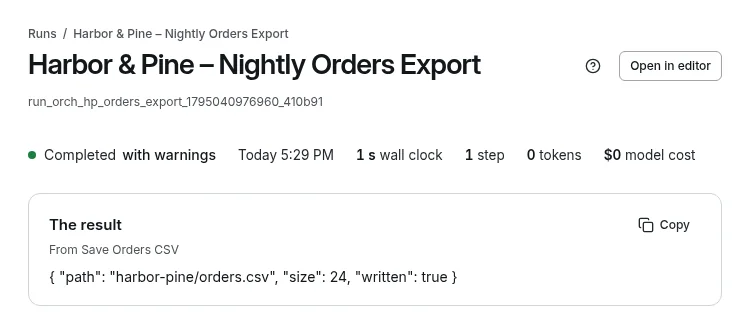
A run says when what it made is empty or cut short. A run could read a long page, find none of the rows it wanted in the part it was given, write a CSV holding only its header, and still say "completed". Now a step whose page read was cut short says how much was read, a step that made nothing says its result is empty, and a CSV with only its header is named. The run reads Completed with warnings, and its hover names the steps. A field the workflow says may be empty is never warned about.
A page you name is read and answered in the chat. Ask Synapse AI to read a page you give the address of and tell you about it, such as a summary or a comparison, and it reads the page and answers right there, once. An ask to do it again, send it somewhere or build it still goes to a plan. A page that needs a sign-in, or would not load, is said plainly.
A step that revises a long draft reads all of it. A step's inputs used to be cut at 5,000 characters, so a step revising a long draft saw its start and its end. An input now holds as much as the step's model can read.
The web scraper and Knowledge say what really happened. A read that lands on a sign-in page says "Needs a sign-in", and a missing page says "The page is not there (HTTP 404)", where before the login form or the "not found" page came back as the content. When a site's bot protection refuses SynapseBot, Knowledge names whose it is (Cloudflare, Akamai, DataDome and others) and the way on: add the page as a file, or connect a scraping service with your own key. SynapseBot never takes a browser check.
synapse stop stops everything SynapseOrch started, including the web server, and says so in two lines.
A tool can ask first unless it only reads. The agent editor's tool policy has a new choice, Ask unless it only reads: the tool runs when it says it only reads, and asks first otherwise.
The 2.1.1 release notes list every fix, among them Synapse AI making a knowledge base with its pages, and a board with its cards, in one press.
Upgrading
From 2.1.0 or any 2.0 version, run:
synapse upgradeYour data stays where it is, and the database is backed up first. One change you may notice: a Loop that runs zero times now leaves its steps' results empty and says so, so a value written to the same key before the Loop is no longer passed on as the Loop's result. If a workflow relied on that, set the fallback after the Loop.
New to SynapseOrch? It installs with one line: see Install.