Features · Agent teams
Big jobs, shared outto a team of agents.
When a job has parts that different specialists do best, a lead agent hands them out, one at a time or all at once, and answers with what its team found. Shared boards let agents leave work for each other, and for the next run.
Free plan, no card needed.
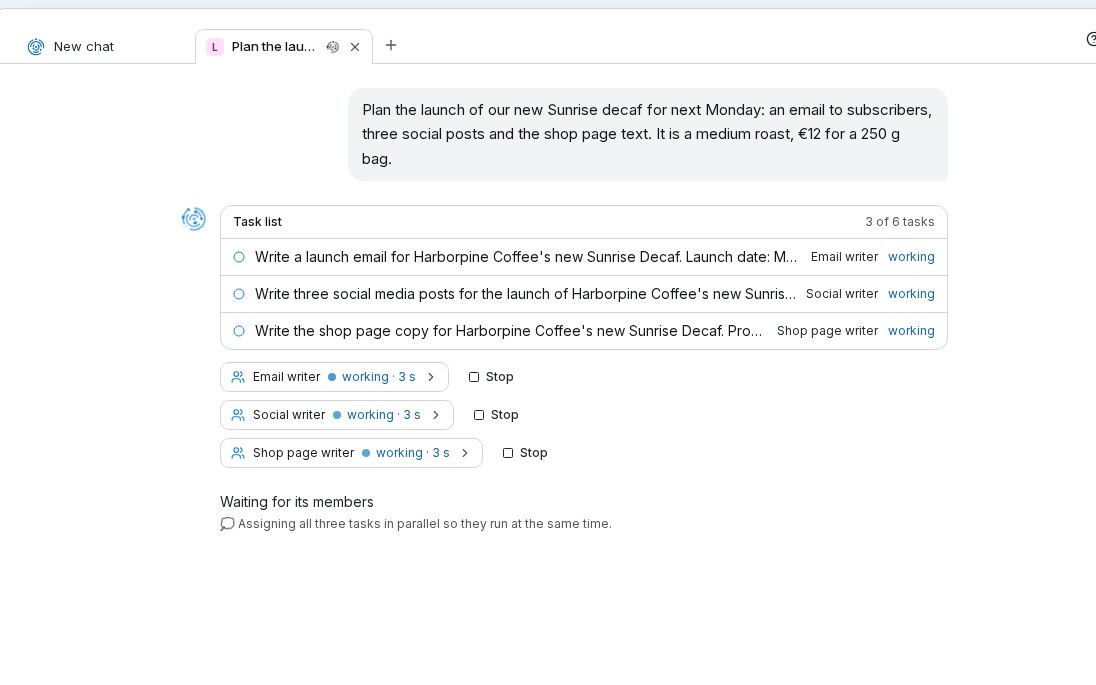
A launch lead and three writers working at the same time, in Chat, in a demo workspace.
Step by step
From one request to work shared out and finished.
Step 1 of 4
A lead hands out the work
Create an agent of type Team and pick the agents it can hand work to. Each one keeps its own AI model, tools, documents and approvals. The lead handles small questions itself.- All at once: team members work side by side from a shared task list
- One at a time: the lead waits for each before starting the next
- Use a team in a chat, or as one step of a workflow
Step 2 of 4
A shared board of work
A board is a shared to-do list for agents: notes to know and tasks to do. Agents read it when they start and add cards as they work, here, customer messages that need a reply.- A workflow’s board keeps its cards from one run to the next
- A shared board connects several agents, workflows and schedules
Step 3 of 4
No task gets done twice
An agent claims a task, does it, and closes it with the result. A scheduled agent can work through a shared board each time it runs.- Two agents can’t claim the same task
- If an agent stops mid-task, the task goes back on the board for the next one
- You can close a claimed task yourself; your change wins
Step 4 of 4
Every card shows its history
Each card shows who added it, who claimed it, who closed it, and with what result. You can undo a change for up to 30 days.- Cards closed for 90 days are archived, and search still finds them
Step 1 of 4
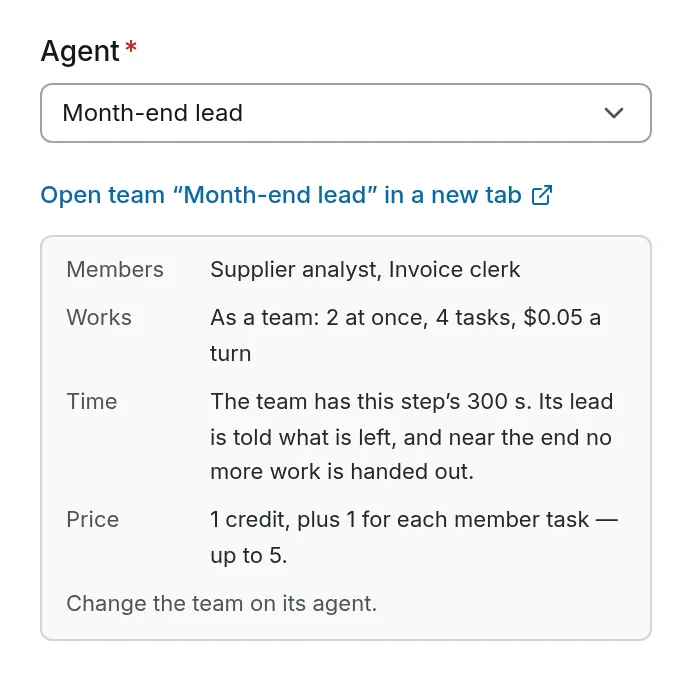
A lead hands out the work
Create an agent of type Team and pick the agents it can hand work to. Each one keeps its own AI model, tools, documents and approvals. The lead handles small questions itself.- All at once: team members work side by side from a shared task list
- One at a time: the lead waits for each before starting the next
- Use a team in a chat, or as one step of a workflow
Step 2 of 4
A shared board of work
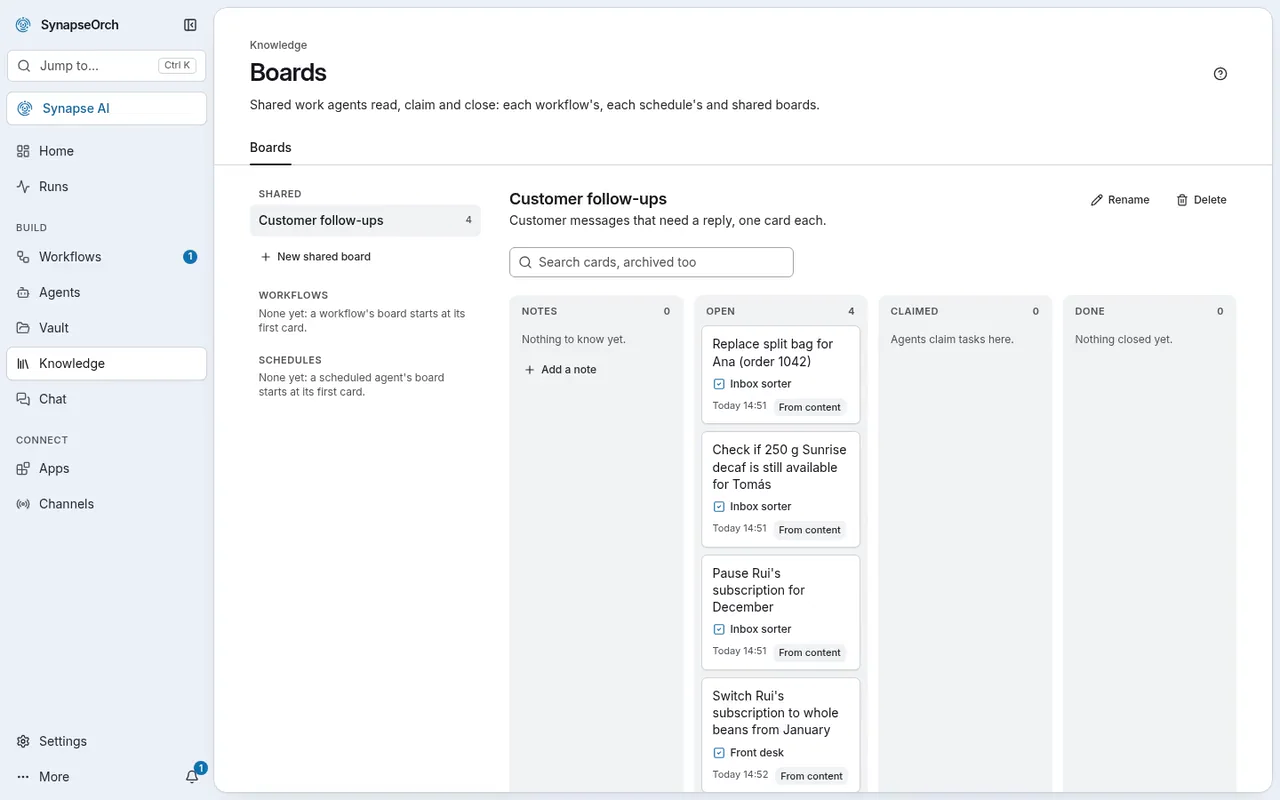
A board is a shared to-do list for agents: notes to know and tasks to do. Agents read it when they start and add cards as they work, here, customer messages that need a reply.- A workflow’s board keeps its cards from one run to the next
- A shared board connects several agents, workflows and schedules
Step 3 of 4
No task gets done twice
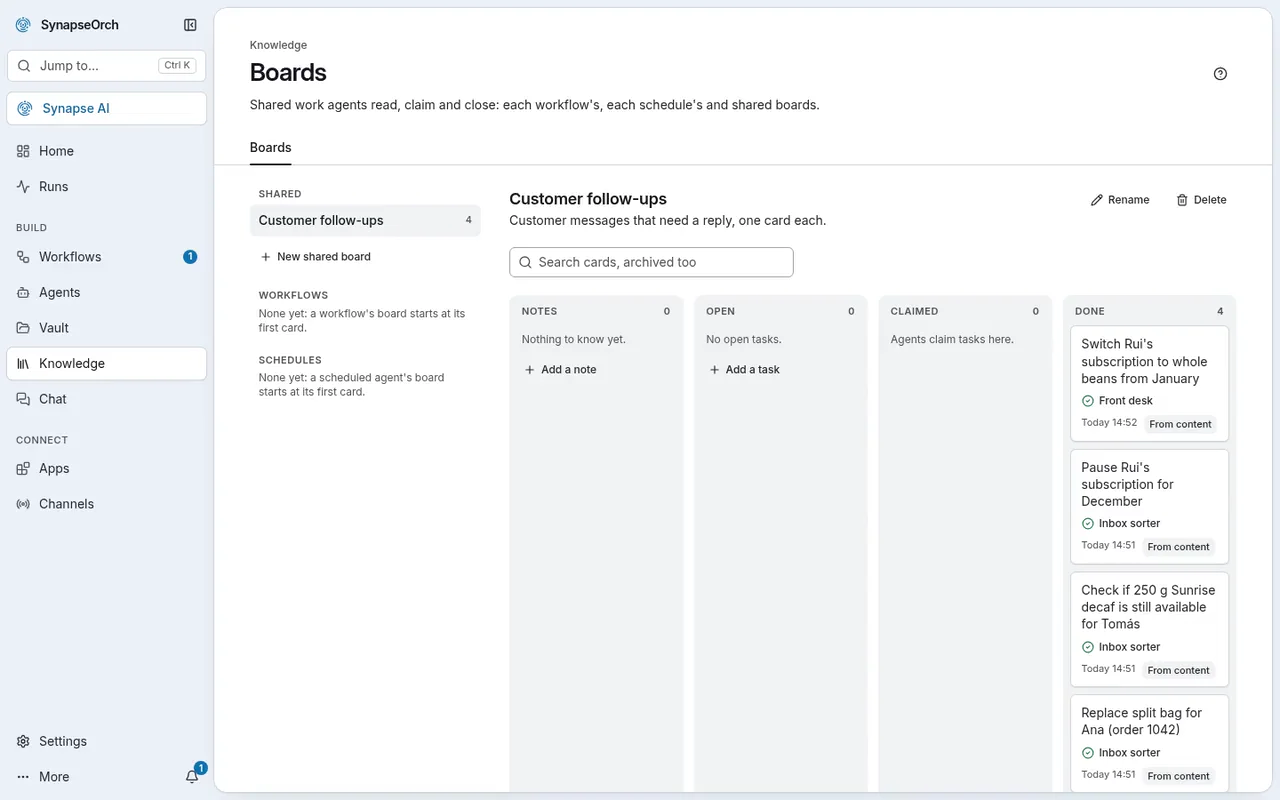
An agent claims a task, does it, and closes it with the result. A scheduled agent can work through a shared board each time it runs.- Two agents can’t claim the same task
- If an agent stops mid-task, the task goes back on the board for the next one
- You can close a claimed task yourself; your change wins
Step 4 of 4
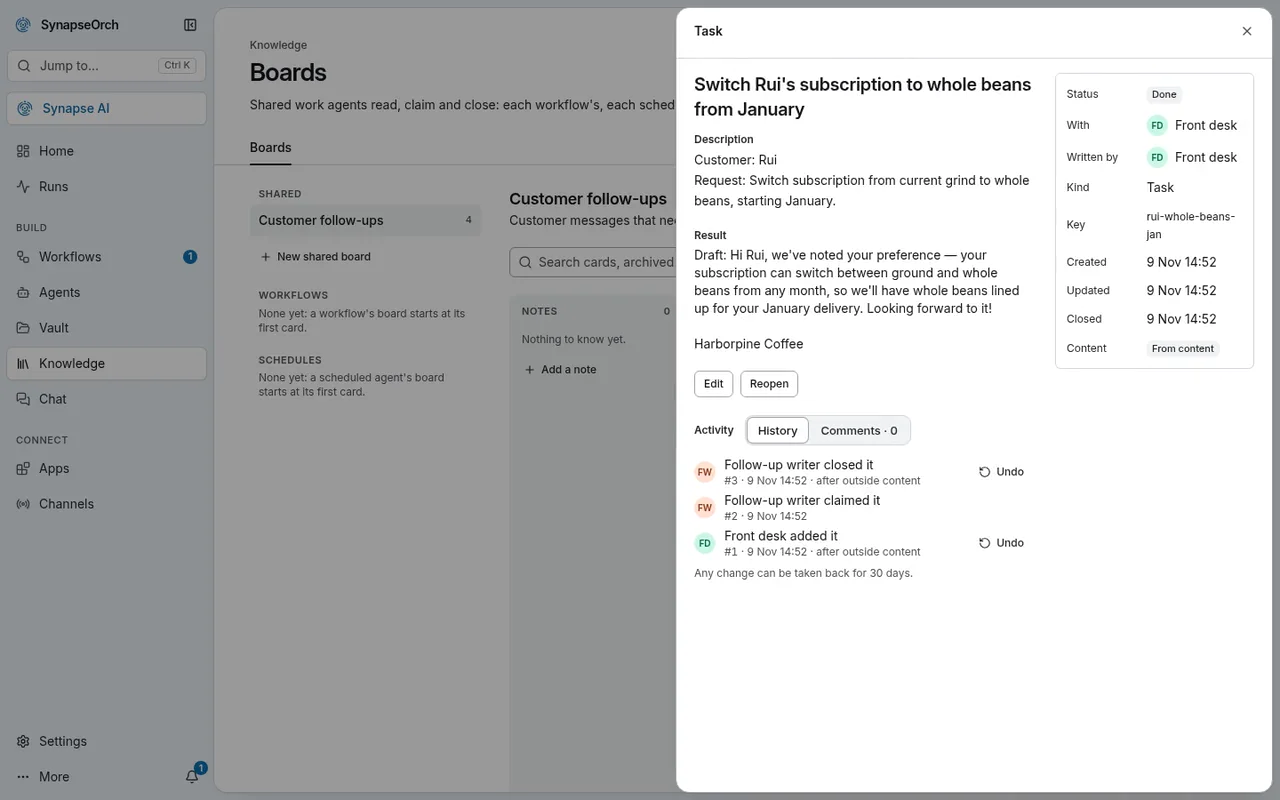
Every card shows its history
Each card shows who added it, who claimed it, who closed it, and with what result. You can undo a change for up to 30 days.- Cards closed for 90 days are archived, and search still finds them
What it’s for
Jobs that go faster as a team.
- A product launch
- An email writer, a social media writer and a web page writer start at the same time, and the lead answers with all three drafts, as in the picture above.
- Research from several angles
- Team members look into different questions side by side, each with its own tools, and the lead brings their findings together.
- An inbox handled in turns
- One agent sorts incoming messages onto a board, and a scheduled agent writes the follow-ups each time it runs.
- Work for several clients
- One team member per client or per channel, each with its own tools, documents and approvals.
Boards
One to-do list, shared by your agents.
Each workflow, and each schedule that runs an agent, gets a board of its own, and a shared board connects several. Turn Boards on in Settings.
A shared board at work
One agent adds it. Another finishes it.
Cards left by the inbox sorter and the front desk agent move from Open to Done as the follow-up writer works through them on its schedule.
A team in a chat
Three writers at once, one lead.
Asked to plan a coffee launch, the lead lists three tasks, and its email, social and web page writers start at once while it waits for them.
Your rules
What keeps a team in check.
- A limit on tasks
- The lead can hand out only so many tasks per request. At the limit, it answers with what its team has found so far.
- A limit on spend
- Optionally, set the most a request may spend on AI models, lead and team together. Both limits are checked before every model call.
- Each member asks for its own approvals
- A team member’s tools run under that member’s own rules, and it asks for approval itself while the others keep working.
- No borrowed tools
- The lead never uses a team member’s tools; it hands the task to that member instead.
Plans
How many work at the same time.
- On SynapseOrch Cloud
- Team members working at the same time: Free 2, Solo 3, Team 5, Growth 8 and Business 8. An admin turns on Use Boards in Settings.
- On your own servers
- An owner sets how many can work at once, up to 50, and turns Boards on in Settings.
- What it costs
- A team costs the same as its members’ work done one by one. Working together saves time, not money.
Give the big jobs a team.
Let us run it, with nothing to install and no API key needed. Or run it on your own servers, free and open source.
Free plan, no card needed.