Features · Browser
Work you do in a browser,done by an agent you can watch.
Checking orders in a supplier’s portal, walking through your own website before a release, updating records in the web apps your team uses every day. An agent clicks through websites in a real browser that you watch beside the chat, and you can take over at any moment. Do a task once while it records, and it runs again in any workflow.
Free plan, no card needed.
A supplier portal made for the demo, with a recorded task repeated by a workflow. Played without sound.
Step by step
From a task you do by hand to one that runs on its own.
Step 1 of 4
Watch it work
Every chat or workflow run that uses the browser gets its own. You see each page live, with a list underneath of everything the agent did.- Take over at any moment, leave the agent a note, and hand it back
- Passwords, card details and codes are always yours to type
- On Cloud, each browser runs on its own isolated machine
Step 2 of 4
Sign in once
Log in to the website yourself and press Keep. From then on, your agents start already logged in, and never see or type your password.- No agent is in control and nothing is recorded while you log in
- Only the login is kept, never your password
Step 3 of 4
Agents stay logged in
A kept login lasts until the website ends it, and never more than 30 days. It is stored encrypted, and only you can use it, or on Cloud, people you share it with.- Each one shows when it expires, and Sign in again renews it
- Remove one at any time
Step 4 of 4
Record once, run it again
Do the task once while it records. A Browser step in a workflow then repeats your clicks exactly, already logged in, with no AI model involved, as long as the pages look the same.- You choose which buttons it may press on its own
- If a page has changed, the run waits for you, or an agent finds the way
- A new way it finds waits for your approval before it’s used
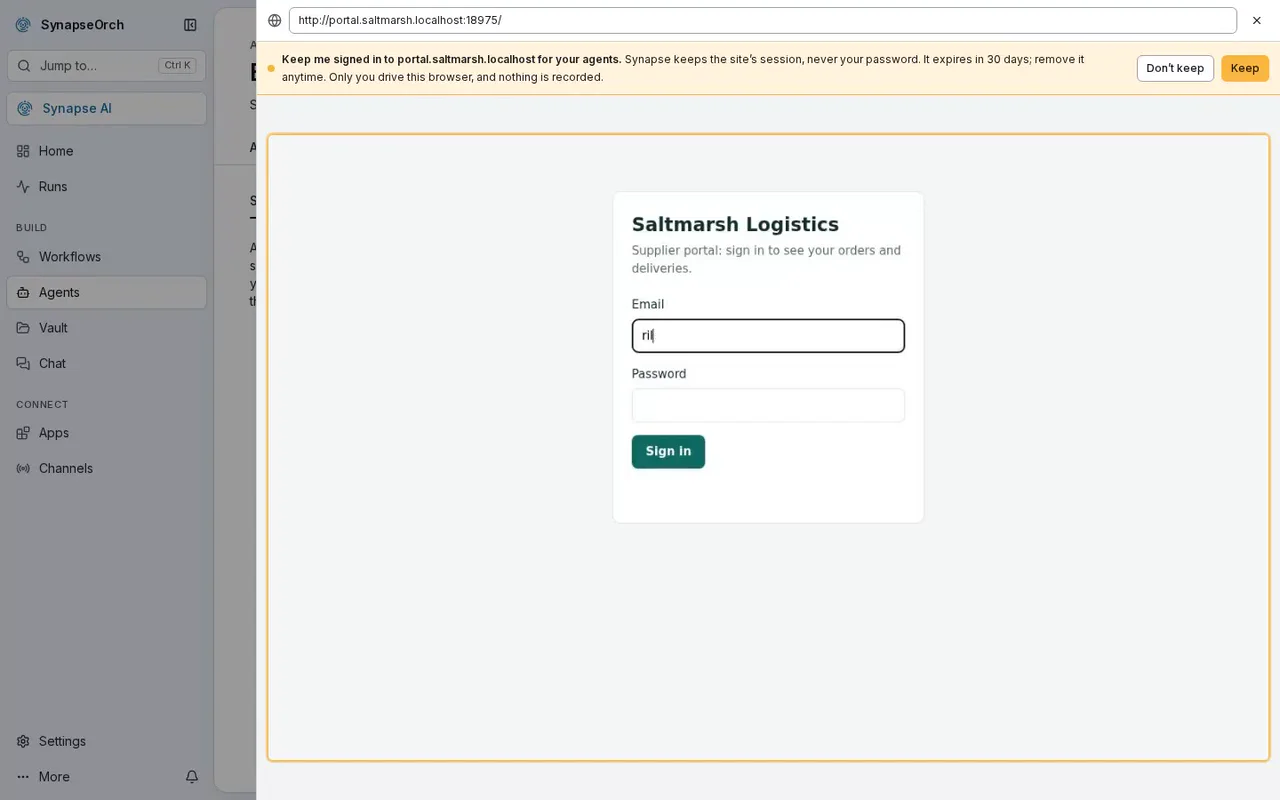
Step 1 of 4
Watch it work
Every chat or workflow run that uses the browser gets its own. You see each page live, with a list underneath of everything the agent did.- Take over at any moment, leave the agent a note, and hand it back
- Passwords, card details and codes are always yours to type
- On Cloud, each browser runs on its own isolated machine
Step 2 of 4
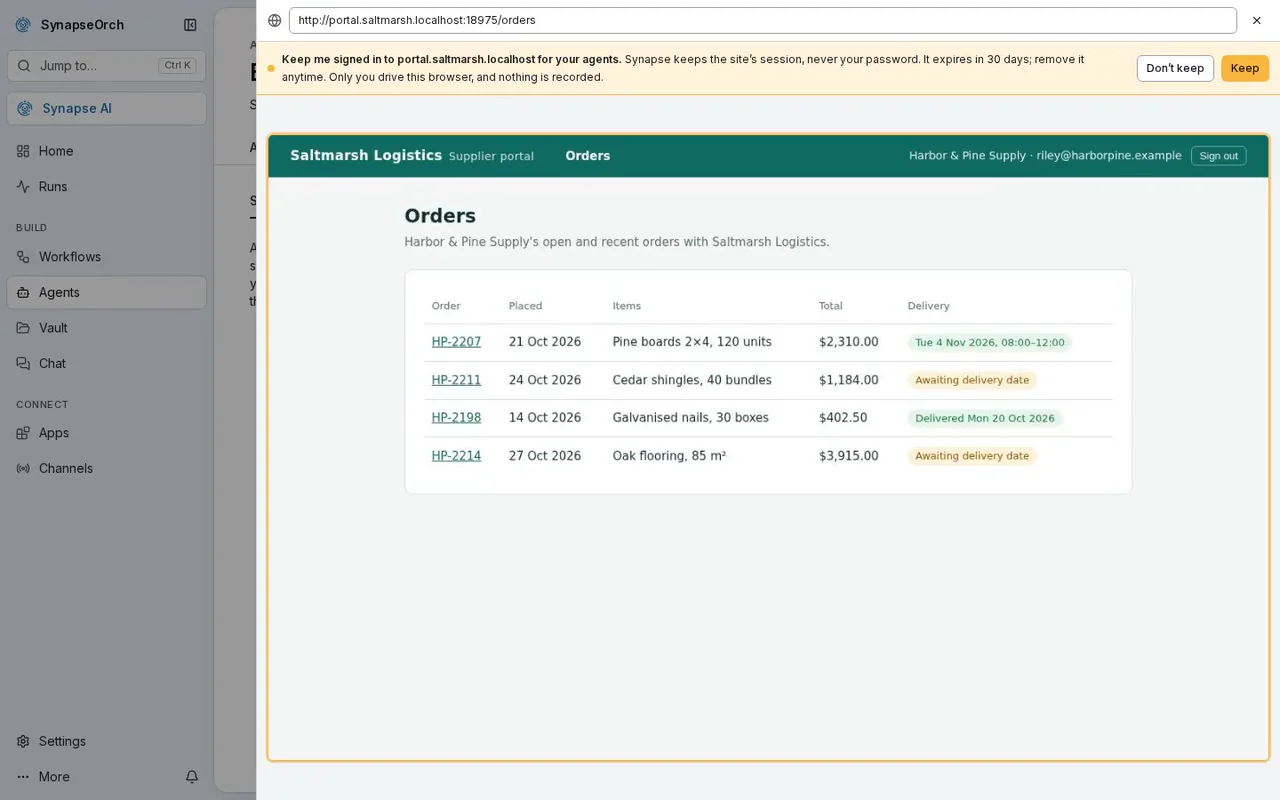
Sign in once
Log in to the website yourself and press Keep. From then on, your agents start already logged in, and never see or type your password.- No agent is in control and nothing is recorded while you log in
- Only the login is kept, never your password
Step 3 of 4
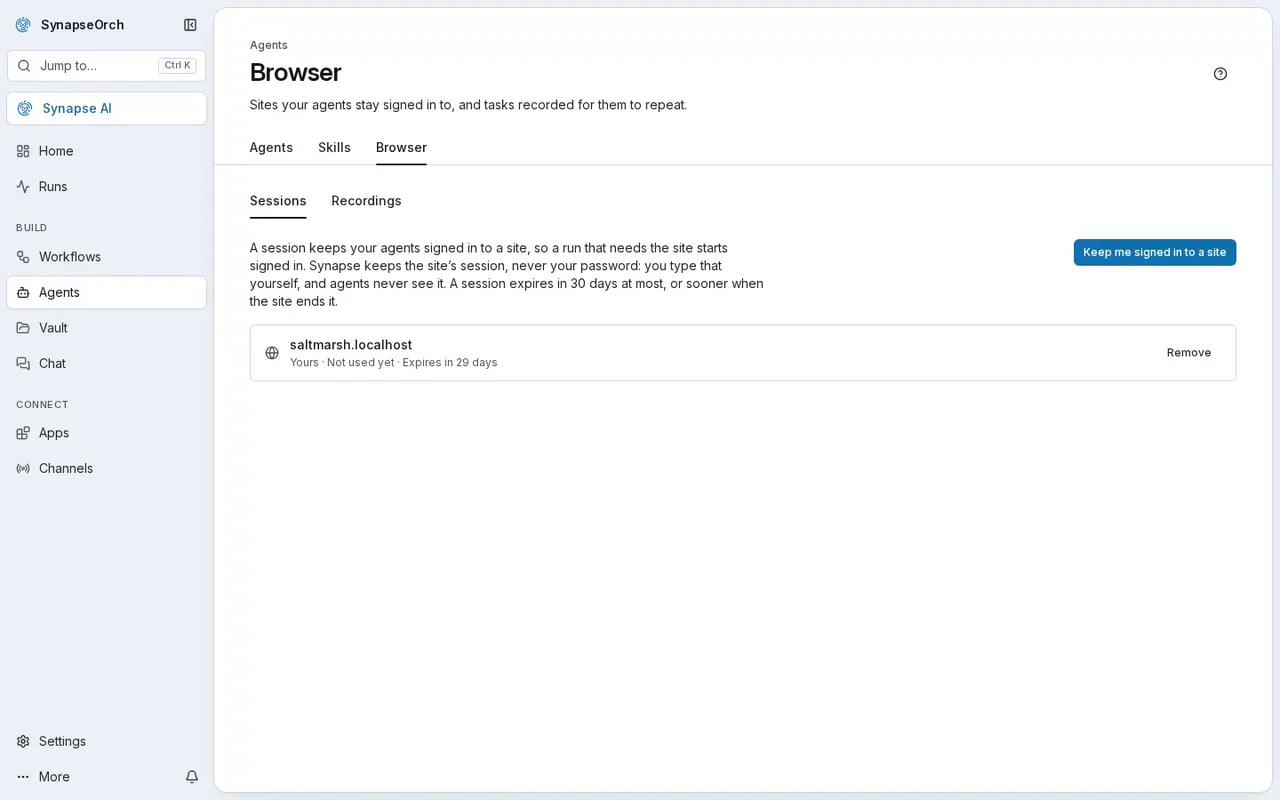
Agents stay logged in
A kept login lasts until the website ends it, and never more than 30 days. It is stored encrypted, and only you can use it, or on Cloud, people you share it with.- Each one shows when it expires, and Sign in again renews it
- Remove one at any time
Step 4 of 4
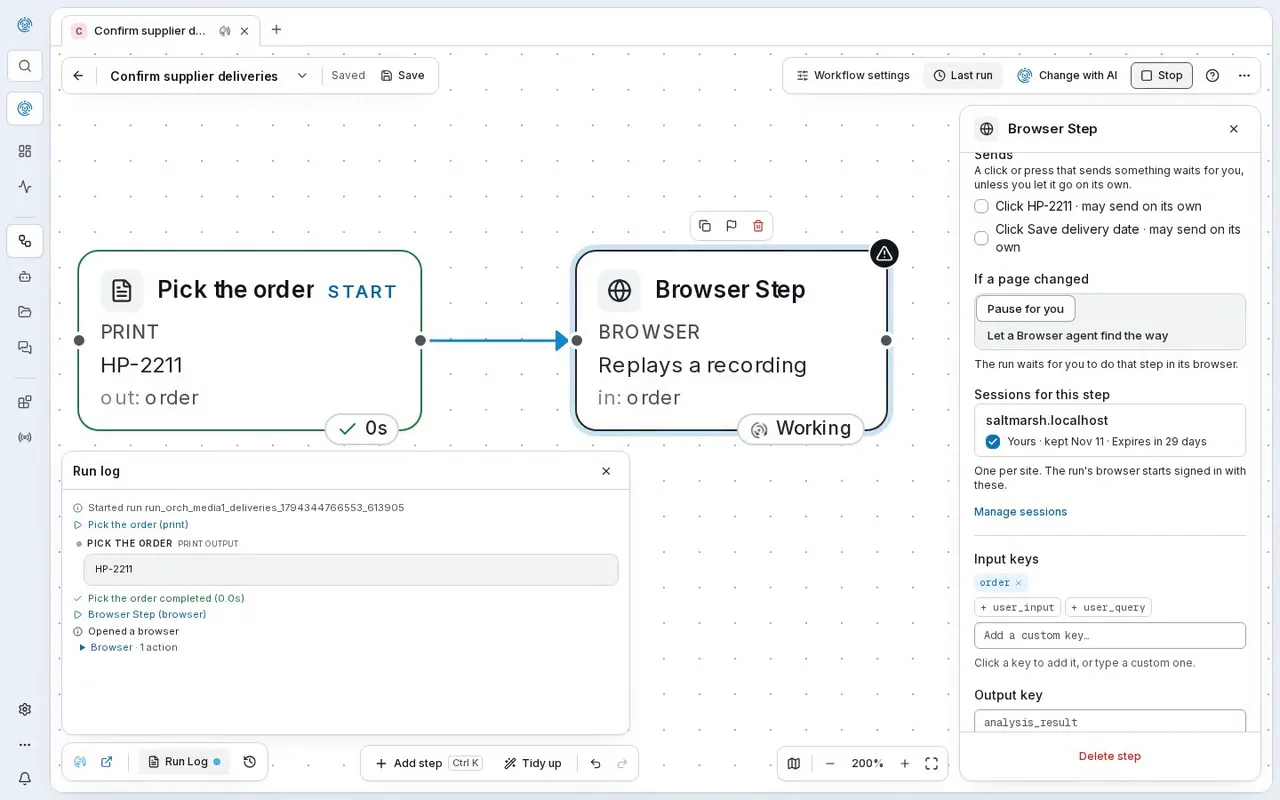
Record once, run it again
Do the task once while it records. A Browser step in a workflow then repeats your clicks exactly, already logged in, with no AI model involved, as long as the pages look the same.- You choose which buttons it may press on its own
- If a page has changed, the run waits for you, or an agent finds the way
- A new way it finds waits for your approval before it’s used
What it’s for
Browser work worth handing over.
- Daily jobs in your web apps
- Look up orders, bookings or stock in the tools your team logs into every day, with the agent already logged in.
- Checking your own website
- An agent walks through your pages the way a customer would and tells you what it found, while you watch.
- Supplier and partner portals
- Check delivery dates in a supplier’s portal, already logged in, like the one in the pictures above.
- Weekly checks at no AI cost
- A recorded task repeats your clicks without an AI model, so a check you run every week costs no model spend while the pages stay the same.
Two ways to use it
Log in once, or record once.
Stay logged in
Log in once. Agents start logged in.
Log in to the website yourself and press Keep. The login is stored encrypted for your agents; your password never is.
Record and repeat
Do it once. Run it every week.
A Browser step repeats the recorded task in a workflow, using the login you kept. Here a run confirms a supplier delivery: no AI tokens, no model cost.
Your rules
What it never does in your browser.
- It never pays
- Payment forms, checkouts, and any button that pays, orders or subscribes are always yours to press. So are permanent deletes and closing an account.
- It never types a password
- At a password, card or one-time code field, the agent stops and hands the browser to you.
- It only sends what you asked for
- A click that would submit, send, post or book is blocked, unless you asked for it in your own words.
- It stays on the public internet
- Pages it opens can’t reach your own computer or private network (when you host it yourself, an admin can allow a specific address).
- Read-only means read-only
- An agent set to Reads only can click around and read, and anything that would change something is blocked.
- Fixes wait for you
- If a page changed and the agent found a new way through, that new way is saved as a fix, and nothing changes until you approve it.
Plans
In chat on every plan; in workflows from Solo.
- On SynapseOrch Cloud
- Every plan can use the browser in chat. Browser steps in workflows, kept logins and recordings come with Solo and up.
- On your own servers
- The same browser, run on your own machine for each chat or workflow run, with logins encrypted by a key on your server.
Hand your browser work to an agent you can watch.
Let us run it, with nothing to install and no API key needed. Or run it on your own servers, free and open source.
Free plan, no card needed.