Features · Your documents
Answers from your documents,with the source to prove it.
Give your agents your files and web pages. They look up the answer there, reply in plain words, and show the exact passage they used, so anyone can check where an answer came from.
Free plan, no card needed.
A café’s staff help agent, asked about the café’s house rules, in a demo workspace. Played without sound.
Step by step
From a folder of files to answers you can check.
Step 1 of 5
Add your files
A knowledge base is a folder of your files that agents can search. Upload documents, or add web pages: one page, a sitemap or a whole site. Everything in it is read and indexed for you.- Documents, PDFs, spreadsheets, slides and web pages; self-hosted, email and code too
- Start from a preset: Cheap, Balanced or High recall
- Files you add to the folder later are picked up too
Step 2 of 5
Try a search
Type a question the way a customer or a colleague would, and see which passages come back. Adjust the settings and try again, until the right passage comes first.- A trace shows how each search worked, and what was left out and why
- It also shows how long each part took and what the search cost
Step 3 of 5
Connect it to an agent
Switch the knowledge base on for any agent. The agent reads its name and description and decides when to look something up. In a workflow, a Retrieve step searches it at a fixed point.- Workflows can add to it too, with an Ingest step
- Records from your own systems can be added through the API
Step 4 of 5
Answers show their sources
The agent answers from the passages it found and labels each one it used. In the app, a Sources list under the answer links each one to its file and page.- Click a label such as [K2] to jump to that passage
- A quote that isn’t really in its passage is flagged
- Sources are saved with the conversation
Step 5 of 5
Check it stays accurate
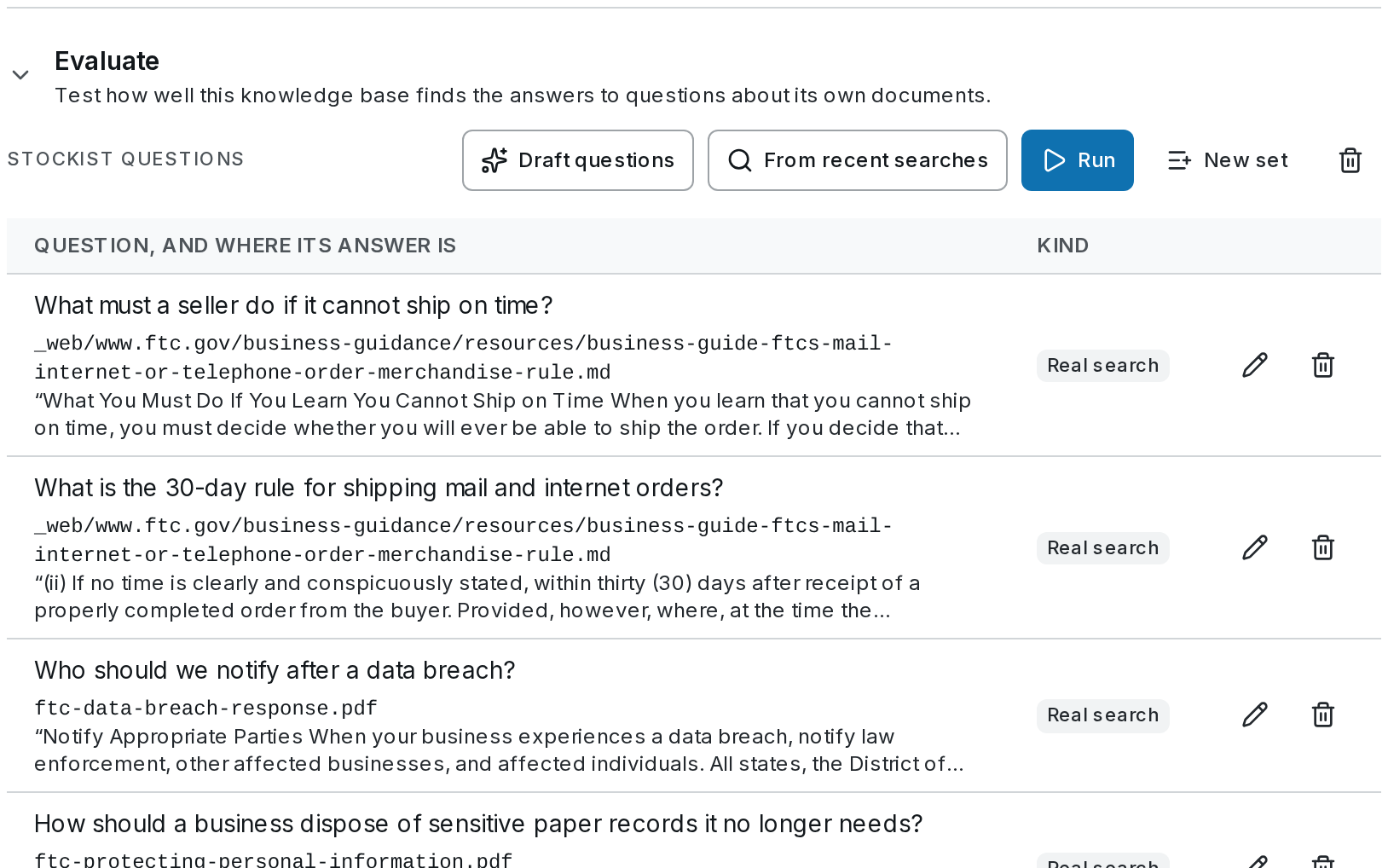
Keep a list of questions with the answers they should find, and run it after any change. A score tells you whether the change made search better or worse.- Each question remembers where its answer is written, so the list keeps working when files are re-indexed
- Compare settings by a number, not a hunch
Step 1 of 5
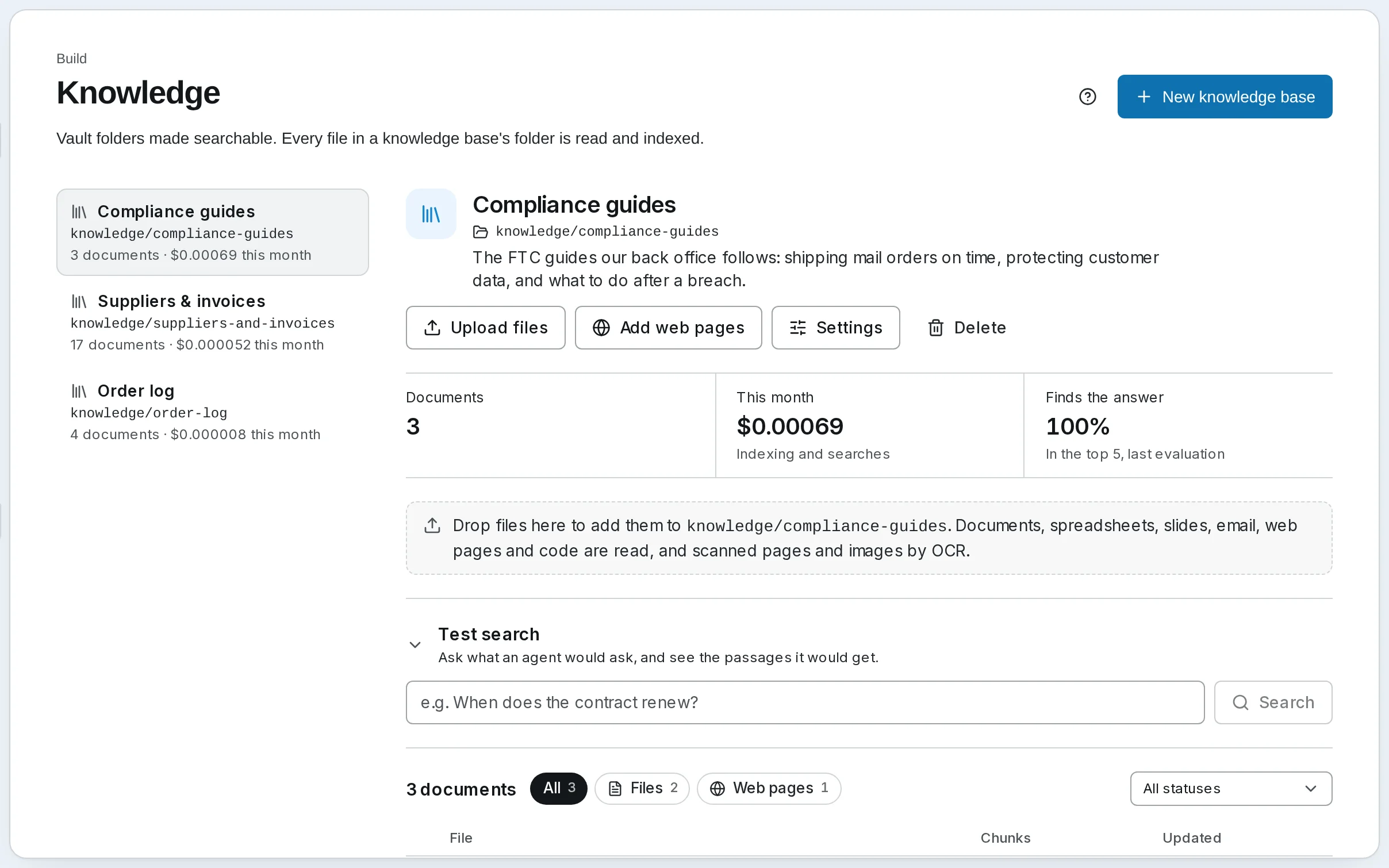
Add your files
A knowledge base is a folder of your files that agents can search. Upload documents, or add web pages: one page, a sitemap or a whole site. Everything in it is read and indexed for you.- Documents, PDFs, spreadsheets, slides and web pages; self-hosted, email and code too
- Start from a preset: Cheap, Balanced or High recall
- Files you add to the folder later are picked up too
Step 2 of 5
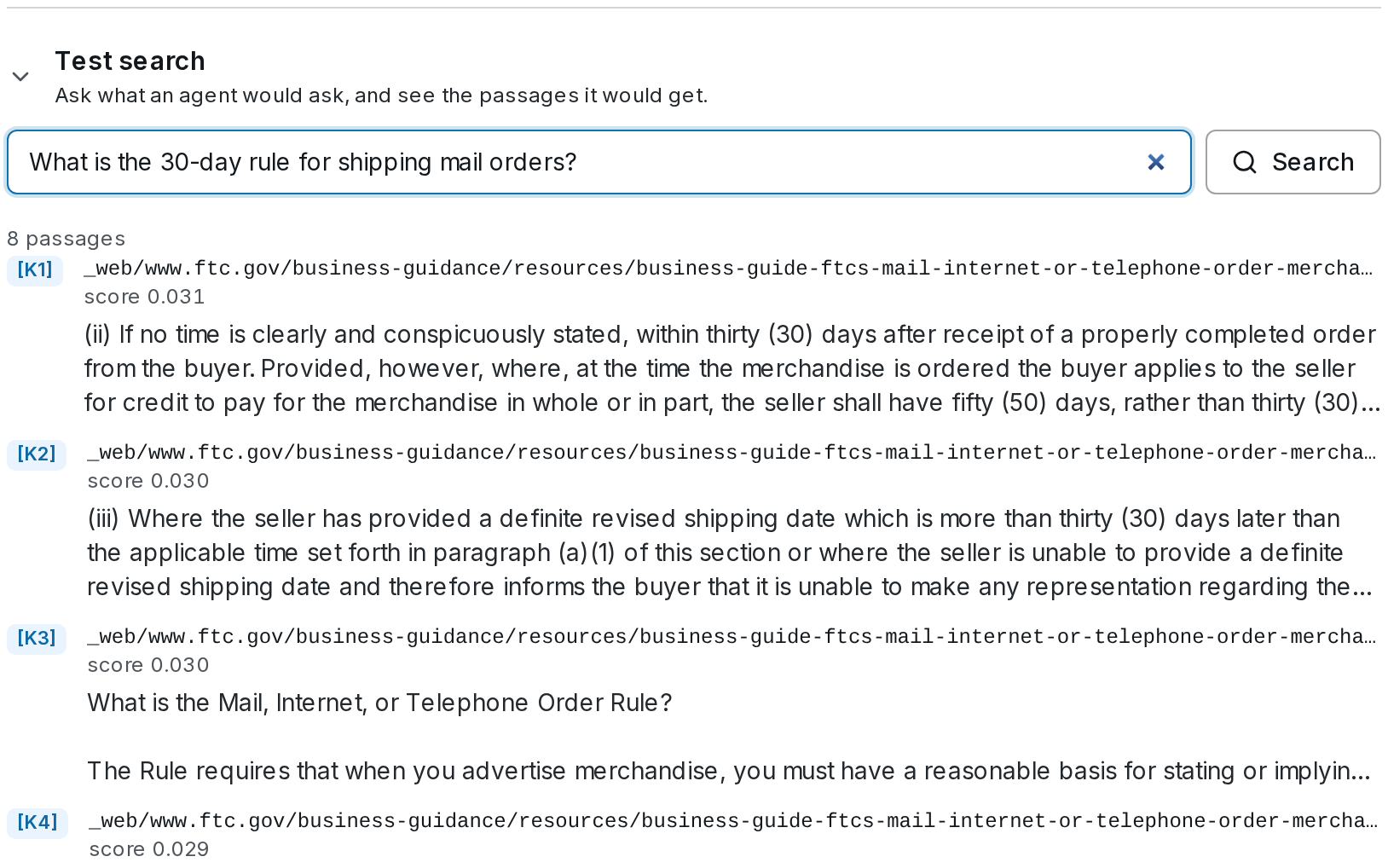
Try a search
Type a question the way a customer or a colleague would, and see which passages come back. Adjust the settings and try again, until the right passage comes first.- A trace shows how each search worked, and what was left out and why
- It also shows how long each part took and what the search cost
Step 3 of 5
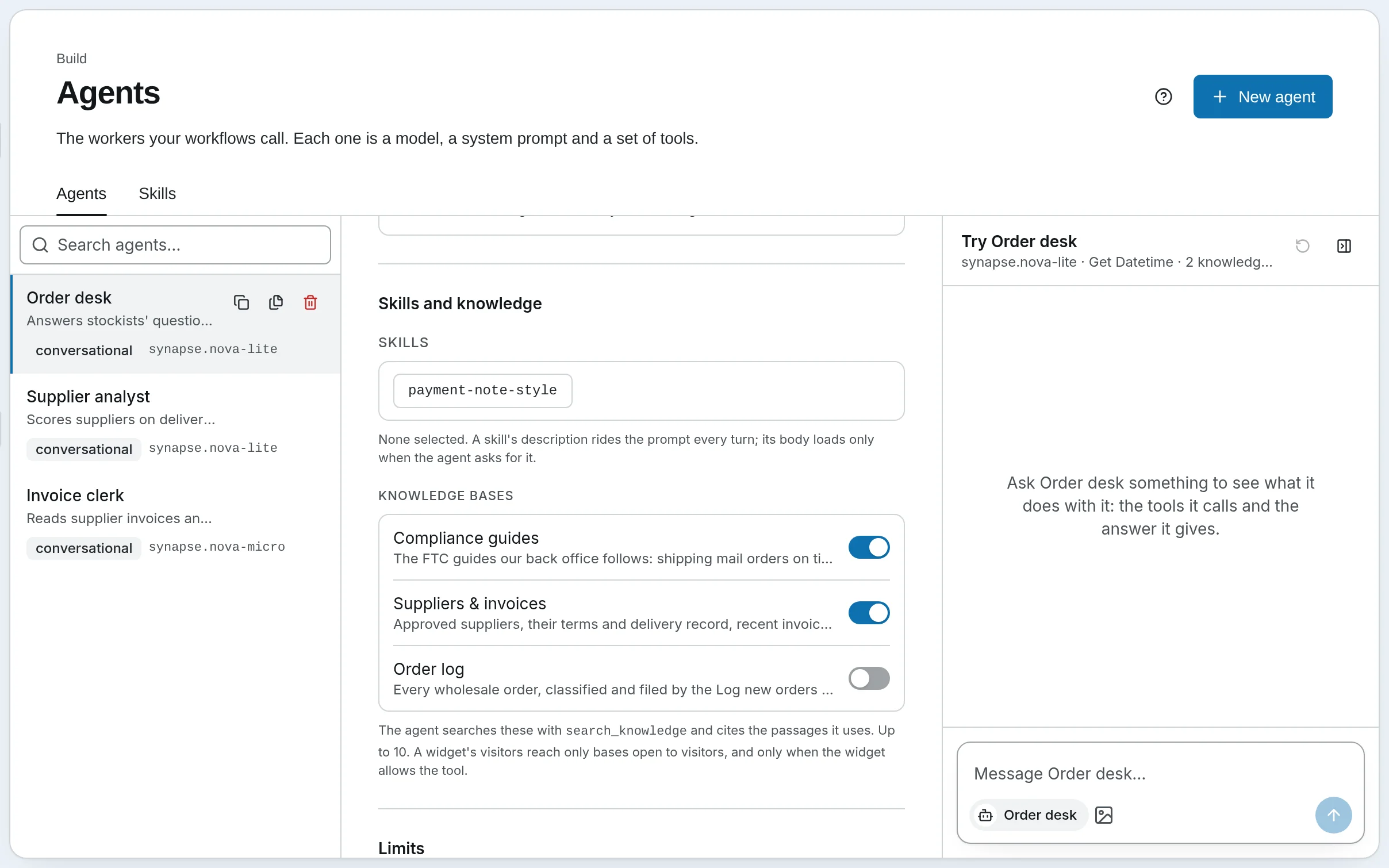
Connect it to an agent
Switch the knowledge base on for any agent. The agent reads its name and description and decides when to look something up. In a workflow, a Retrieve step searches it at a fixed point.- Workflows can add to it too, with an Ingest step
- Records from your own systems can be added through the API
Step 4 of 5
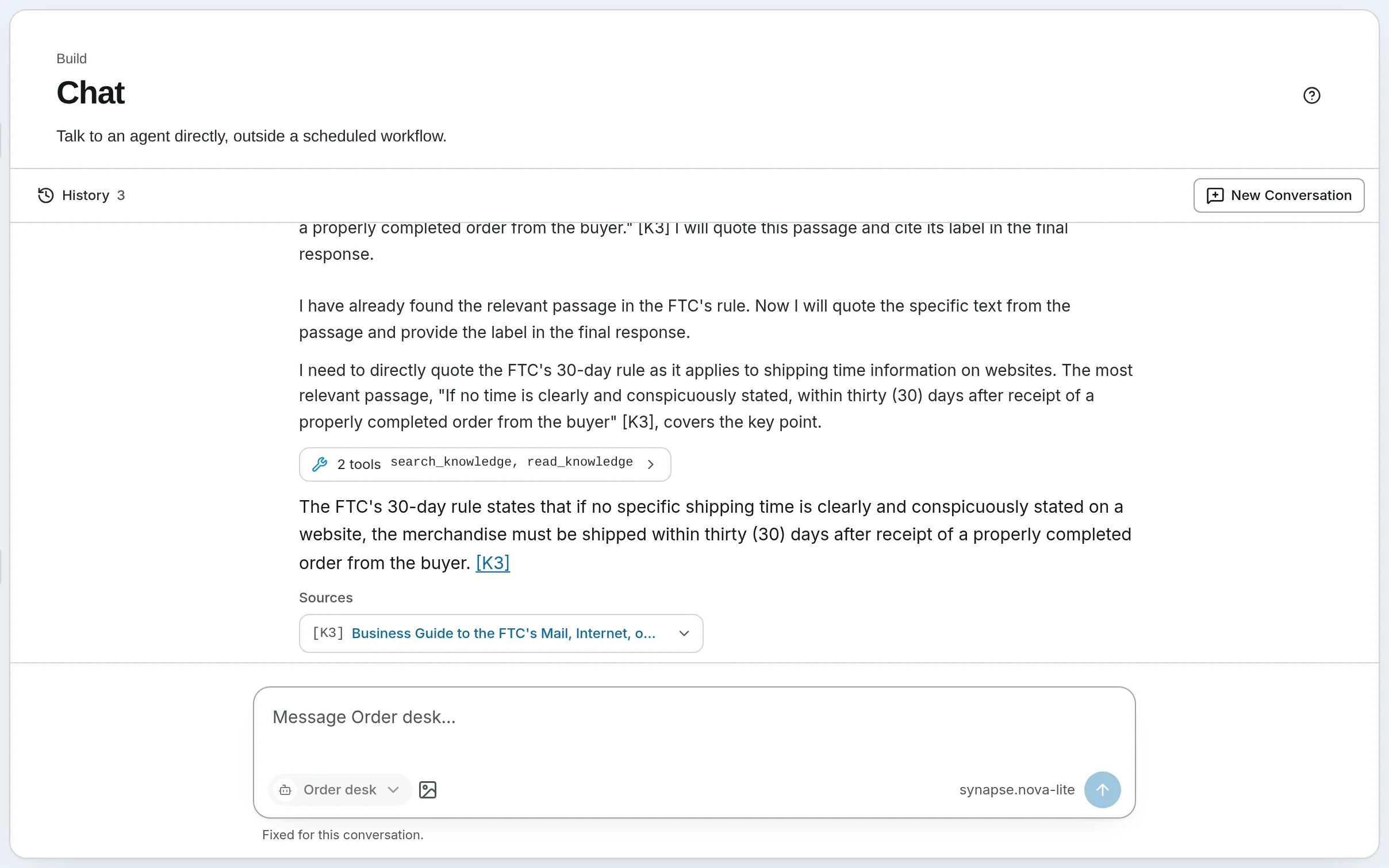
Answers show their sources
The agent answers from the passages it found and labels each one it used. In the app, a Sources list under the answer links each one to its file and page.- Click a label such as [K2] to jump to that passage
- A quote that isn’t really in its passage is flagged
- Sources are saved with the conversation
Step 5 of 5
Check it stays accurate
Keep a list of questions with the answers they should find, and run it after any change. A score tells you whether the change made search better or worse.- Each question remembers where its answer is written, so the list keeps working when files are re-indexed
- Compare settings by a number, not a hunch
What it’s for
What people answer from their own documents.
- Customer support
- Your help articles and policies behind the chat on your website, so customers get your answer, not a guess.
- Your team’s handbook
- Staff ask about leave, expenses or house rules in plain words, and see the paragraph the answer came from.
- Product and price lists
- The spreadsheets and PDFs your team checks every day, searched by meaning, not just matching words.
- One knowledge base per client
- Each with its own monthly budget, connected only to that client’s agent.
Your rules
Answers you can check, at a cost you set.
- Every answer shows its sources
- In the app, each passage an answer used is listed under it, linked to the file and the page it came from.
- It stays within your budget
- Each knowledge base shows what it cost this month. At its budget, indexing pauses and searches carry on by keyword.
- Website visitors see only what you allow
- A chat widget’s visitors can search a knowledge base only if you tick Visitors may search it.
- It only reads pages it’s allowed to
- A web page that the site’s robots.txt blocks, or that isn’t on the public internet, is skipped.
Where it works
Ready on Cloud; one setting when you host it yourself.
- On SynapseOrch Cloud
- Knowledge is in the menu. Everyone can read knowledge bases and try searches; builders, admins and owners create and change them. The models that index and search are paid from your model wallet, which every plan tops up each month; a model on your own key is billed by its provider.
- On your own servers
- Turn Knowledge on in Settings and choose an embedding model, so searches match meaning as well as words.
Answer from what your team already wrote.
Let us run it, with nothing to install and no API key needed. Or run it on your own servers, free and open source.
Free plan, no card needed.